
Claude home
you@example.com
Claude windowopen
Dock iconrunning
5-hour· in 3 h 12 min34%
Week· in 6 days12%
just now
 cl_auditDownload for MacMac onlyGitHub
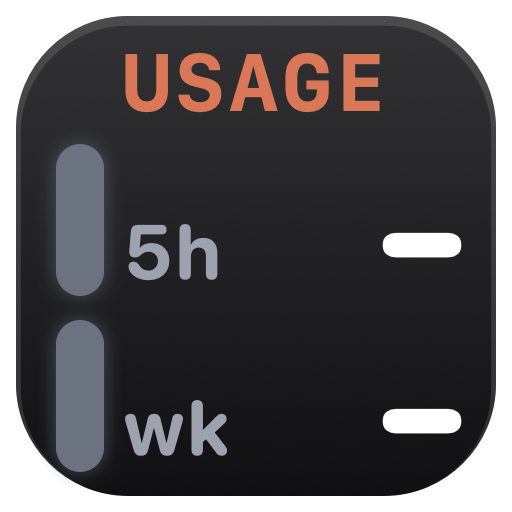 cl_audit runs several Claude desktop apps side by side on one Mac, each with its own sign-in, and shows every profile's 5-hour and weekly usage in the Dock and on a dashboard. A profile is one Claude setup: a Claude Code folder with its sign-in, a Claude window and a Dock icon. Limits are read from Anthropic; usage history comes from Claude Code's session logs on the Mac.
cl_audit 26.10.11 · 27 Oct 2026 · Apple silicon · macOS 13 or later. Checked with Claude Code 2.1.310 and the Claude app 4.29.0. Newer Claude versions may need a cl_audit update.
Sign-in happens in Claude's own screens: Claude Code's sign-in in Terminal (claude auth login) and the Claude app's sign-in window. cl_audit only opens them, so whatever is typed goes straight to Anthropic.
⌘1⌘2 ⌘3
⌘3The Claude app signs in to one account at a time, so every profile but the one using ~/.claudegets its own Claude window, with its own sign-in, chats and settings; its Claude Code folder keeps its own sign-in. Several profiles can use one claude.ai account.
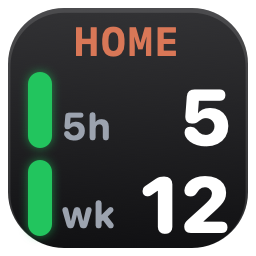
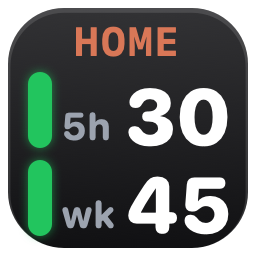
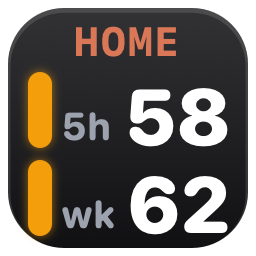
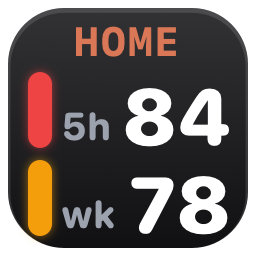
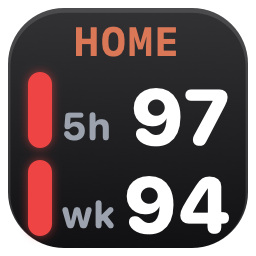
Each profile's Dock icon shows its 5-hour and weekly limits. A click shows the usage for a moment, then opens its Claude window. While a limit is full it counts down to when the profile is back. Options: 13 icon styles, 5 panel designs, a notification at a set level and one when it's back, a dot while its Claude window is open.
Icon styles in Settings ›The figures Claude shows in Settings ▸ Usage, with exact reset times, for every profile. History is read from Claude Code's session logs on the Mac; nothing is uploaded.
Demo dashboard ›git clone https://github.com/n-uf/cl_audit.git
cd cl_audit && ./build.shcl_audit 26.10.11 · 27 Oct 2026 · What's new · by n-uf · PolyForm Perimeter 1.0.1 · Not affiliated with Anthropic. Claude is a trademark of Anthropic.
Illustration of the home profile's Claude window, opened by cl_audit.
Illustration of the work profile's Claude window, opened by cl_audit.
Illustration of the side profile's Claude window, opened by cl_audit.